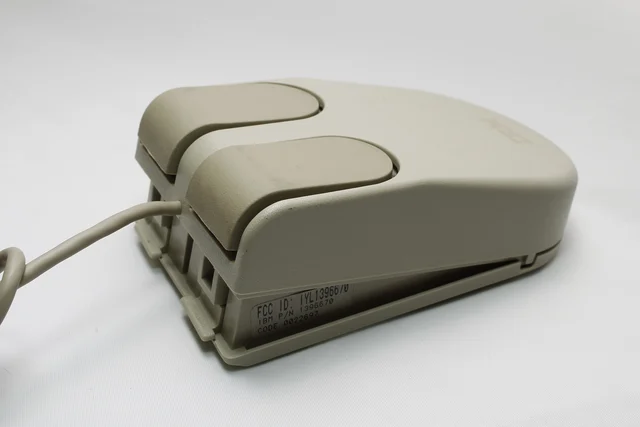
IBM PS/2 Trackpoint
A combined mouse and trackball with a transforming case and two pairs of buttons.
Another combination device, but more considered and compact.
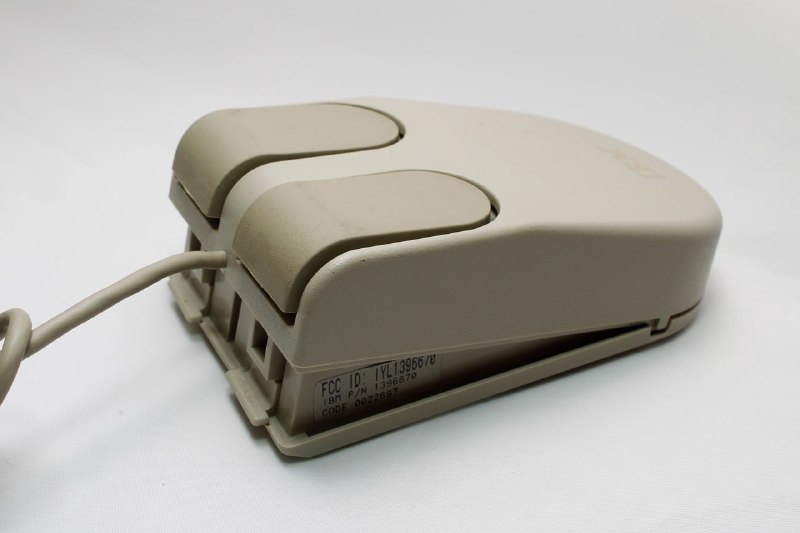
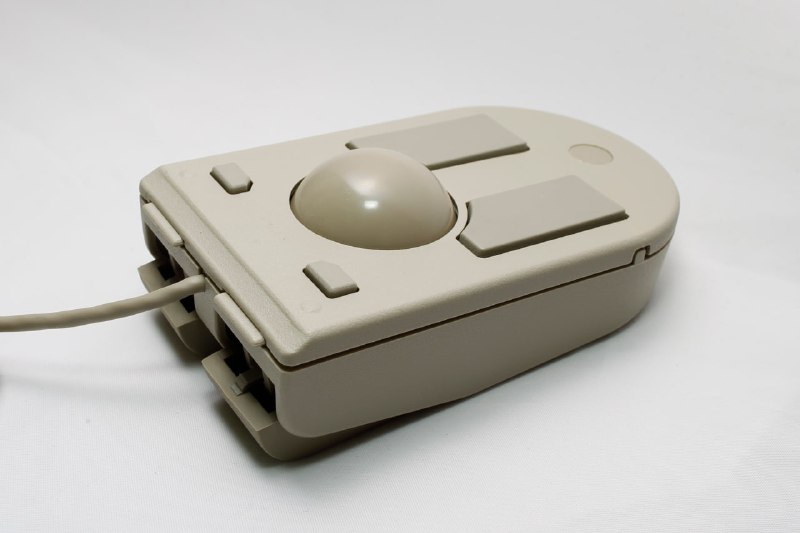
Announced in 1991 alongside the IBM PS/2 L40 SX laptop, which also featured on Habr. The idea is the same: use it as a mouse at a desk, or as a trackball when there is no desk. Period adverts often place that desk-free scenario on an aircraft. Then again, try using a laptop now with neither an external mouse nor a built-in trackpad: you would soon get tired of it =)
The L40 itself had a TrackPoint, the little nub in the middle of the keyboard, which was quite convenient in its own right.
The design relies on clips and flexible plastic in some thin areas. Switching modes frequently feels rather risky. I tried explaining the process in words, then realised it needed a video. The mouse buttons are rubber-covered, so in trackball mode they prevent slipping.
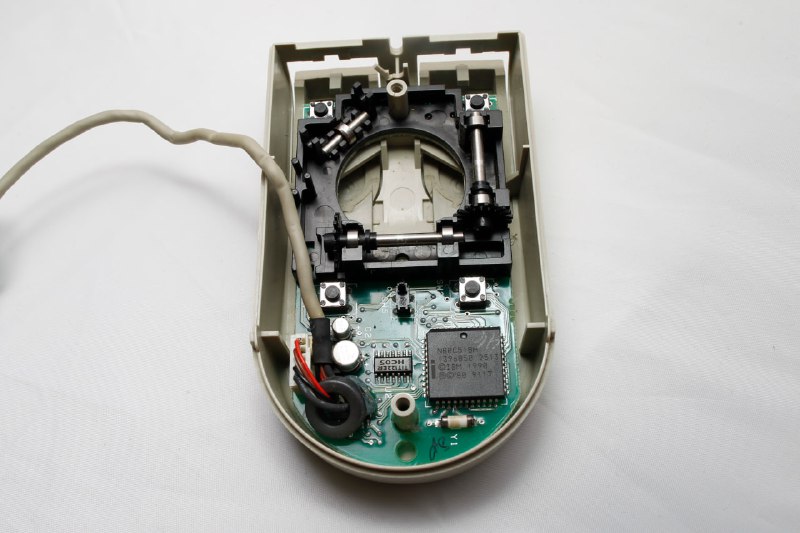
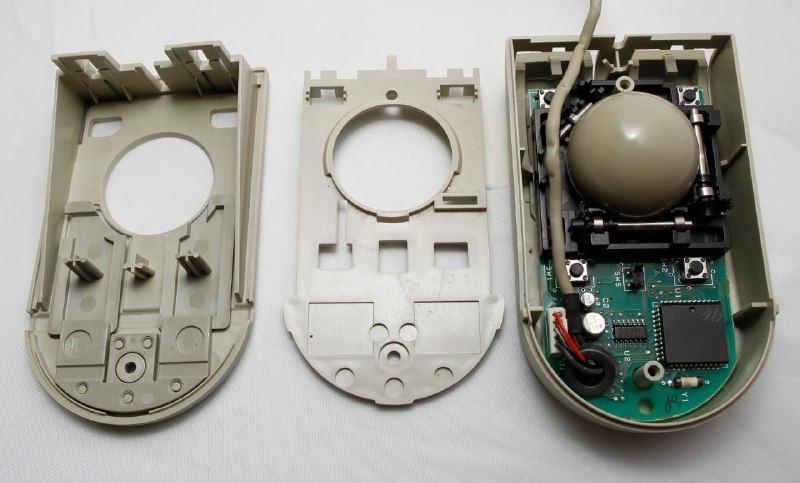
Inside are conventional optomechanics and an Intel N80C51BH microcontroller. A switch in the middle of the board identifies the selected mode and determines which pair of buttons is active.
Software allowed the vertical and horizontal encoder sensitivities to be set independently. I never thought anyone would need that. For narrow screens, perhaps.
Despite the name Trackpoint, the IBM logo is on the mouse side. Having it on both sides would have made sense.